Service benefit
This is the core Lifeline support. It can lower eligible phone or internet costs under current federal rules.
New Mexico residents may find a free or discounted tablet through a participating provider offer, but there is no guaranteed federal or statewide tablet giveaway. The safest route is to check Lifeline eligibility through the National Verifier, then compare participating companies for your ZIP code and exact physical address. New Mexico SNAP, Medicaid, SSI, federal housing assistance, qualifying veterans benefits, income, or certain Tribal programs may establish eligibility. A tablet still depends on provider rules, coverage, stock, device condition, activation, shipping, and any copay.
A “free government tablet in New Mexico” is usually a provider promotion connected with low-income phone or internet service, not a tablet sent directly by New Mexico or the federal government. Lifeline is active. The Affordable Connectivity Program ended, and households stopped receiving ACP discounts on June 1, 2024. Verify eligibility first and treat any device as a separate, conditional offer.
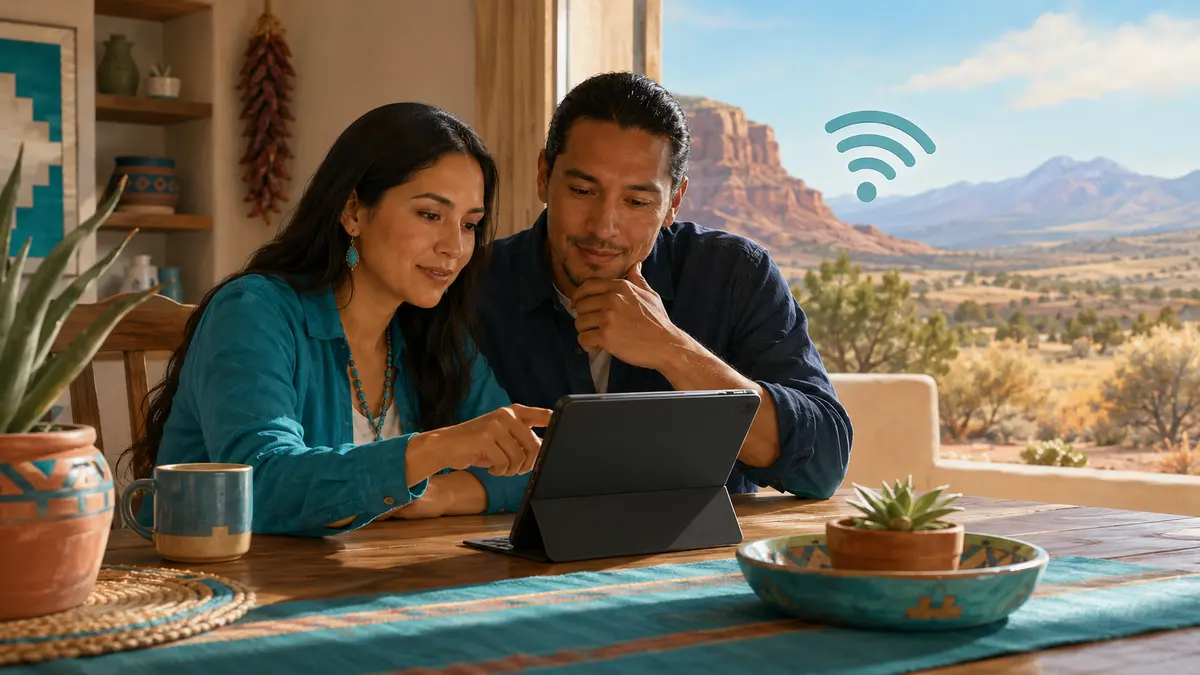
Check whether your household qualifies for Lifeline through New Mexico SNAP, New Mexico Medicaid, SSI, Federal Public Housing Assistance, Section 8, Veterans Pension, Survivors Benefit, qualifying Tribal assistance, or the federal income limit. Apply through the National Verifier. After eligibility is confirmed, use your ZIP code and physical service address to identify participating companies. Ask each company whether it currently offers service only, a phone, a discounted tablet, a refurbished tablet, or a phone-and-tablet option.
What is dependable: Lifeline remains an active federal service-discount program for eligible households that complete approval and enroll with a participating company.
What is possible: a provider may offer a basic Android tablet, refurbished device, reduced-price tablet, phone, or service bundle.
What depends on the provider: tablet inventory, model, condition, network coverage, activation, shipping, return terms, copay, and whether a device is offered at all.
Free Tablet Apply is an independent informational website. It does not distribute tablets, process New Mexico benefit applications, approve Lifeline, represent the FCC or USAC, or control provider inventory. Do not send this website your Social Security number, EBT PIN, YES.NM password, bank login, banking details, or benefit-portal credentials.
The search phrase does not describe one universal government device program. In New Mexico, it usually connects three separate steps: a household participates in an accepted public benefit or meets the income rule, the household passes federal Lifeline verification, and a participating company has an optional device promotion at that address. Passing one step does not guarantee the next.
The Affordable Connectivity Program, or ACP, ended after funding ran out. Households stopped receiving ACP discounts on June 1, 2024. Old pages and social posts that advertise active “ACP 2026 enrollment” are outdated or misleading. Lifeline is different. It remains active, but it mainly lowers the monthly cost of qualifying phone, internet, or bundled service. The device is not the core federal benefit.
The Affordable Connectivity Program was a federal broadband discount. It ended in 2024 and is not a current New Mexico tablet application route.
An active FCC program administered by USAC that lowers eligible household phone or internet service costs. It does not promise a tablet.
The federal eligibility system most New Mexico residents use to confirm identity, address, program participation or income, and the household rule.
A free tablet with EBT or Medicaid in New Mexico means those benefits may help prove Lifeline eligibility. An EBT card or Medicaid enrollment is not itself a tablet voucher. A separate provider must serve the physical address and have a current device offer under its own terms.
I could not confirm a separate official statewide free tablet program for New Mexico residents. Most realistic options are Lifeline service, provider device promotions, discounted or refurbished devices, local libraries, nonprofit support, New Mexico Office of Broadband Access and Expansion resources, Community Action Agencies, New Mexico 211, and disability-focused assistive technology services.
The New Mexico Health Care Authority administers major benefit programs, and the YES.NM portal supports applications and case management for services such as SNAP and Medicaid. New Mexico Medicaid operates its managed-care program under the Turquoise Care name. These benefit systems can provide evidence for Lifeline eligibility, but they should not be described as agencies that automatically send tablets.
The New Mexico Office of Broadband Access and Expansion coordinates broadband and digital opportunity work. The State Library maps local digital resources, while the New Mexico Technology Assistance Program serves residents with disabilities. None guarantees device inventory.
This page can confirm: Lifeline is active; SNAP and Medicaid are accepted eligibility routes; New Mexico residents generally use the federal National Verifier; provider participation can be checked by location; and the state has official broadband, library, assistive technology, Tribal, and community-support resources.
This page cannot confirm: your approval, a tablet in stock, a particular Android tablet, an iPad or Samsung device, a zero-dollar copay, same-day approval, same-day shipping, a delivery date, or usable coverage at a specific address.
A New Mexico household can qualify for Lifeline through participation in an accepted program or through income. Use the applicant’s legal name, date of birth, and physical home address exactly as they appear on current records. Lifeline generally permits one benefit per economic household, meaning people who live together and share income and expenses.
| Eligibility route | New Mexico relationship | Important limit |
|---|---|---|
| SNAP / EBT | New Mexico HCA administers SNAP, and approved households receive benefits through an EBT account. | SNAP can prove eligibility, but the EBT card is not a tablet entitlement. Never share its PIN. |
| New Mexico Medicaid | Active Medicaid participation, including coverage administered through Turquoise Care, can qualify a household for Lifeline. | A Medicaid card is not a device coupon. A current eligibility notice may be needed if matching fails. |
| SSI | Supplemental Security Income is an accepted federal eligibility program. | SSI is different from Social Security retirement or SSDI alone. |
| Federal housing help | Federal Public Housing Assistance, including qualifying Section 8 assistance, may establish eligibility. | Use a current housing authority or official benefit document. |
| Veterans benefits | Veterans Pension and Survivors Benefit are accepted routes. | General veteran status or VA health care alone should not be assumed to qualify. |
| Household income | A household may qualify when income is at or below the current federal Lifeline threshold. | Use the current limit and accepted, recent income documents. |
| Tribal programs | Residents on qualifying Tribal lands may use accepted routes such as Tribal TANF, Bureau of Indian Affairs General Assistance, FDPIR, or certain Head Start income eligibility. | Tribal identity or New Mexico residence alone does not establish enhanced Lifeline support. Address and program rules apply. |
New Mexico’s sovereign Tribes, Nations, and Pueblos have distinct service areas. The applicant’s physical residence, qualifying land status, and program document matter. Native identity or a Tribal mailing address alone does not guarantee enhanced support or a tablet.
New Mexico SNAP helps qualifying households buy food. Residents can use the YES.NM benefits portal for applications and case information. SNAP participation can support a Lifeline application, but it does not guarantee a free tablet, provider approval, inventory, shipping, or a particular device.
Possibly through a provider promotion after Lifeline eligibility is confirmed. Your SNAP approval or benefit notice may prove eligibility, but an EBT card is not a tablet voucher. Check the provider, exact service address, device condition, copay, activation, and shipping before accepting an offer.
A common document problem is uploading only the front of an EBT card. That image may not show the participant’s name, the SNAP program name, the issuing agency, or current participation. If the National Verifier asks for proof, a recent official benefit notice is usually more useful. Never upload an EBT PIN. See how the benefit and device offer differ in the tablet with EBT guide.
New Mexico Medicaid is administered by the Health Care Authority. Turquoise Care is the state’s current Medicaid managed-care program. Medicaid participation is an accepted Lifeline eligibility route, but New Mexico Medicaid is not a statewide general-purpose tablet giveaway.
If the National Verifier cannot match the Medicaid record automatically, use a current approval or eligibility notice that identifies the member and program. An old insurance card, medical bill, appointment reminder, or health-plan advertisement may not prove active Medicaid enrollment. Keep member numbers private except when the official application specifically requires accepted proof.
A New Mexico Medicaid household may qualify for Lifeline, then separately ask participating companies about device promotions. Any tablet may be basic, refurbished, discounted, limited in stock, subject to a copay, or unavailable. Medicaid and Turquoise Care do not guarantee the model, provider, or delivery.
Lifeline lowers the monthly cost of phone, internet, or bundled service for an eligible household. The FCC sets program rules, USAC administers the program, the National Verifier checks most New Mexico applications, and participating companies deliver service. The company, not the National Verifier, handles device, bill, data, activation, return, replacement, and shipping questions.
After approval, compare participating companies instead of assuming one advertised provider serves every New Mexico address. A company appearing in a search does not promise a tablet. Ask whether the offer is service only, a phone, a discounted tablet, or a bundle. Review how Lifeline phone and tablet offers differ and the independent provider overview.
This is the core Lifeline support. It can lower eligible phone or internet costs under current federal rules.
This is optional and controlled by the provider. It can change by ZIP code, address, time, stock, and plan.
Only one Lifeline benefit is normally permitted for people at an address who share money and expenses.
Automatic databases do not always match. A YES.NM login or screenshot of a portal home screen is not proof by itself. Keep readable copies, but upload sensitive records only through the official Lifeline system or a verified participating company.
| Check | Possible document | Common New Mexico problem |
|---|---|---|
| Identity and birth date | Valid government-issued ID or another accepted official record | A nickname, changed surname, punctuation, or unreadable image does not match the application. |
| Physical address | Lease, utility record, official benefit notice, or accepted address proof | A PO box is entered as the home address, or a rural-route, Tribal, apartment, or unit format differs across records. |
| SNAP | Current HCA or YES.NM approval or benefit notice | Only an EBT card image is uploaded, without current program details. |
| Medicaid | Current New Mexico Medicaid eligibility or approval notice | A health-plan advertisement, old card, or medical bill does not prove active coverage. |
| Income | Accepted pay statements, tax return, benefit statement, or other official proof | The record is outside the accepted period or does not show total household income. |
| Housing, SSI, veterans, or Tribal program | Current official program notice showing the applicant or dependent | The document shows general status but not the qualifying program or current participation. |
| Household | Lifeline Household Worksheet if required | Several applicants share an address but separate economic households are not explained. |
Review the government tablet document guide before uploading anything.
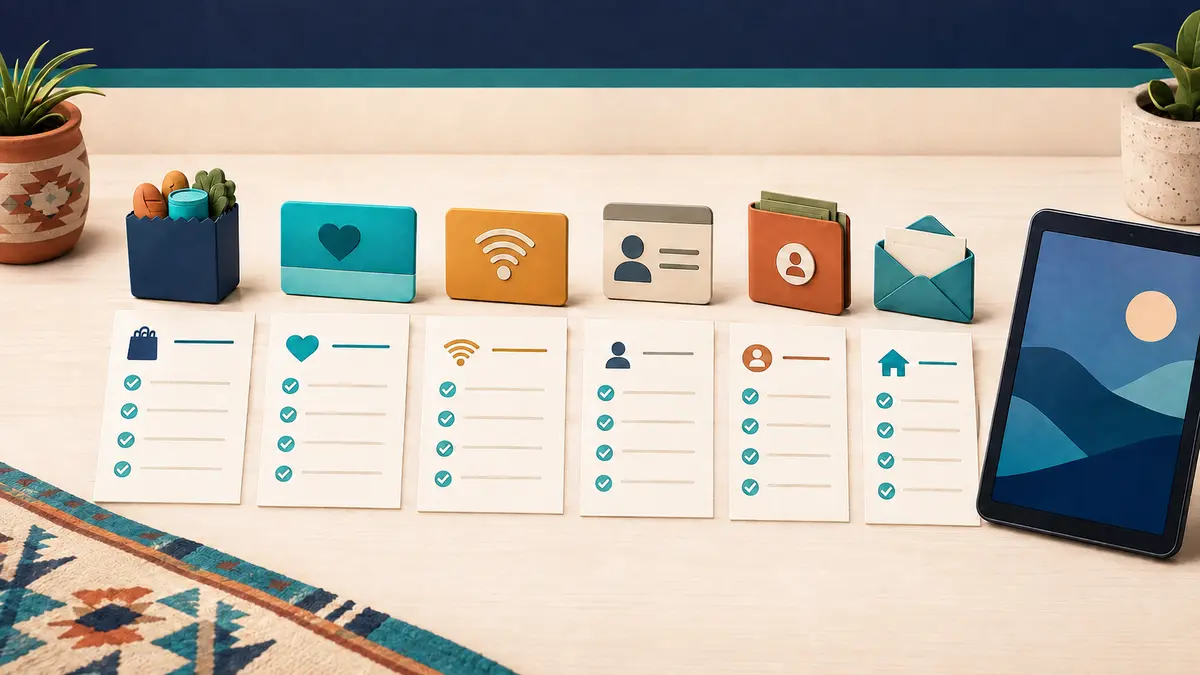
Choose SNAP, Medicaid, SSI, federal housing assistance, an accepted veterans benefit, a qualifying Tribal program, or household income. Do not rely on an unrelated state benefit.
Confirm whether anyone who shares income and expenses at the address already receives Lifeline. Complete the Household Worksheet if the official system requests it.
Use the same legal name, birth date, and physical residence shown on official records. Rural routes, Tribal addresses, pueblos, apartment units, and separate PO-box mailing addresses need extra care.
New Mexico residents generally use the National Verifier online, by mail, or with help from a participating company. Keep the eligibility decision separate from the provider enrollment.
If more proof is requested, upload it through the official system. Do not send an SSN, YES.NM password, EBT PIN, bank login, or banking information through social media or an unverified form.
After eligibility approval, compare companies for the exact service address and ask for written terms. National Verifier approval does not reserve a tablet.
Ask about new or refurbished condition, operating system, stock, copay, activation, shipping, monthly service, data, returns, replacement policy, and total amount due.
Use the full safe application walkthrough for more detail.
New Mexico’s geography makes exact location checks essential. Albuquerque, Rio Rancho, Santa Fe, and Las Cruces have larger metro service footprints, but coverage still varies by building and neighborhood. Northern mountain communities, eastern plains, the Bootheel, high-desert areas, pueblos, reservations, and remote rural routes may have fewer companies, weaker signal, longer delivery routes, or address records that commercial systems do not recognize consistently.
A ZIP code is only the first filter. Confirm the physical service address, apartment or unit, rural-route format, Tribal land status when relevant, and coverage where the service will actually be used. Lifeline requires a home address rather than only a PO box, although a separate mailing address may be used where permitted. People without a permanent address should follow the official descriptive-address process.
| Location check | Why it matters in New Mexico | What to ask |
|---|---|---|
| ZIP code | Provider participation and service type differ across counties and communities. | Does the company currently offer Lifeline in this area? |
| Exact physical address | Coverage and address validation can differ within one ZIP, especially on rural and Tribal routes. | Can the company validate this service location? |
| Network usability | Distance, mountains, mesas, terrain, and building materials can affect signal. | Which network is used, and is there a coverage or return policy? |
| Device inventory | Eligibility approval and tablet stock are separate systems. | Is a device available now, and is it new, refurbished, basic Android, or discounted? |
| Delivery terms | Remote routes and nonstandard addresses can affect shipping. | What are the cost, carrier, estimate, signature rule, and return address? |
Use the local tablet availability guide. Pages about StandUp Wireless, Assurance Wireless, SafeLink Wireless, and AirTalk Wireless explain commonly searched offers, but none proves current New Mexico availability.
Keep any useful Lifeline phone or internet discount even when a company has no tablet. A stable connection may be more useful than a low-spec device tied to unclear terms. You can also compare a low-cost refurbished tablet from a reputable seller without calling it government-issued.
The New Mexico State Library provides a digital-resource map for local libraries. Residents can check whether a library reports computers, Wi-Fi, printing, scanning, tech support, telehealth space, or laptops, tablets, and hotspots for checkout or in-library use. Services, card rules, hours, and device inventory differ by library, so contact the location first.
The New Mexico Office of Broadband Access and Expansion maintains connectivity and digital opportunity resources. Its work helps residents understand broadband gaps and statewide access efforts, but infrastructure funding is not the same as a personal tablet award.
The New Mexico Association of Community Partners represents Community Action Agencies serving all 33 counties. New Mexico 211 provides county-based referrals. These networks may locate digital skills, education, employment, utility, benefit, or community resources, but do not guarantee tablets.
The New Mexico Technology Assistance Program offers free assistive technology services to residents with disabilities of any age, including demonstrations, loans, reuse information, training, and financing resources. Help depends on access needs and current inventory.
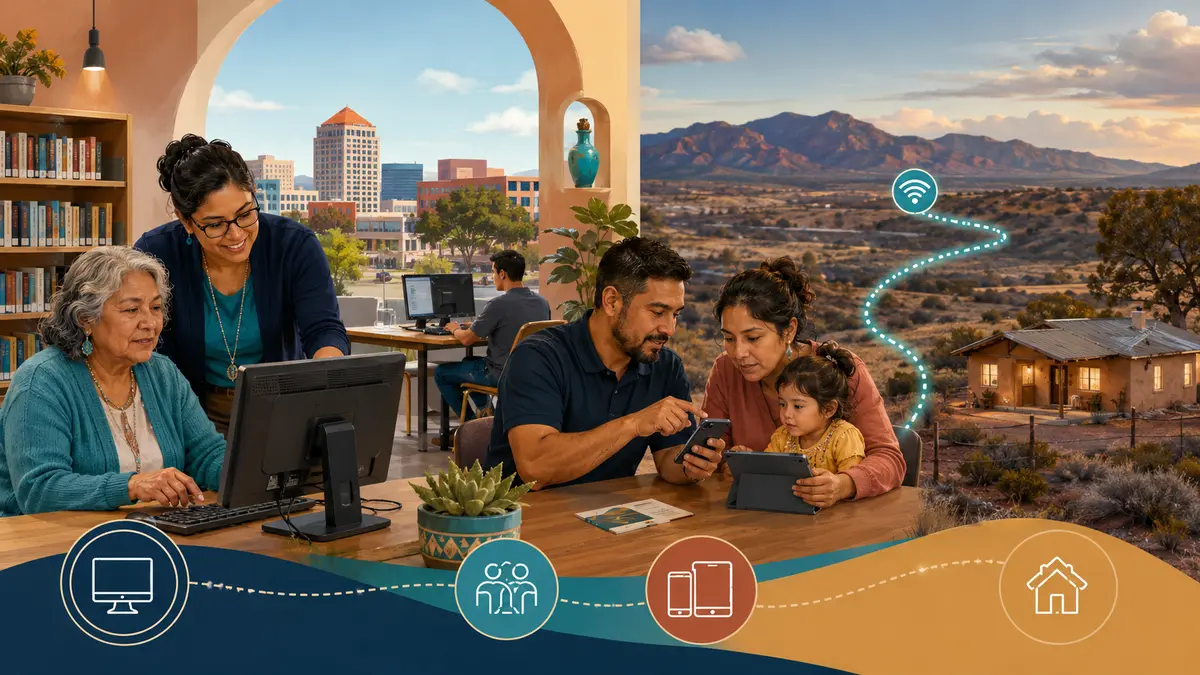
Ask a local library about computers, Wi-Fi, printing, scanning, device lending, digital skills, and library-card requirements.
Use New Mexico 211 or the Community Action network to find the agency serving your county instead of assuming one office covers the state.
Residents with disabilities can contact NMTAP about demonstrations, loans, reuse, training, and other assistive technology routes.
Age alone does not qualify someone for Lifeline. A senior may qualify through an accepted benefit or income. Libraries and NMTAP may help with digital skills or accessibility. See the tablet guide for seniors.
Veterans Pension and Survivors Benefit are accepted routes, but general veteran status is not enough. Use a current notice and review the tablet guide for veterans.
A dependent’s benefit participation may help a household qualify. Keep the applicant relationship clear, and remember the household rule.
People in mountain villages, eastern plains communities, the Bootheel, and remote ranch areas should verify coverage, address recognition, shipping, and public-access alternatives.
Qualifying Tribal lands can receive enhanced Lifeline support, and additional eligibility programs may apply. Exact residence and accepted program documentation matter.
Enrollment is not itself a Lifeline qualification. Students may qualify through household income or benefits and can ask libraries, schools, or workforce programs about local access.
Pause the application and confirm the company through official Lifeline resources. Contact the official Lifeline Support Center for eligibility questions and the company through verified contact details for device or billing questions.
A tablet may be available through a participating provider promotion, but New Mexico and the federal government do not guarantee one to every eligible resident. Confirm Lifeline eligibility, then verify service, stock, condition, copay, activation, and shipping for your exact address.
I could not confirm a separate official statewide New Mexico program that gives every qualifying resident a free tablet. Realistic options include Lifeline service, provider promotions, discounted devices, libraries, broadband resources, community agencies, and assistive technology support.
New Mexico SNAP may establish Lifeline eligibility, but an EBT card is not a tablet voucher. A device remains dependent on a provider’s offer, coverage, approval, inventory, copay, activation, and shipping rules.
No general statewide Medicaid tablet benefit was confirmed. Active New Mexico Medicaid can qualify a household for Lifeline, but any tablet is a separate provider promotion and may be discounted, refurbished, basic, out of stock, or unavailable.
No. The Affordable Connectivity Program ended, and households stopped receiving ACP discounts on June 1, 2024. An offer described as active “ACP 2026” enrollment should be treated as outdated or suspicious.
New Mexico residents generally apply through the federal National Verifier online, by mail, or with help from a participating phone or internet company. After eligibility is confirmed, they enroll with a participating company to receive service.
You may need proof of identity, birth date, physical address, income, or current participation in SNAP, Medicaid, SSI, federal housing, a qualifying veterans benefit, or a Tribal program. Names, dates, program details, and addresses should match the application.
Providers, networks, and shipping vary by location. Mountains, mesas, rural routes, Tribal lands, apartment units, and remote communities can affect address validation and usable service. Device inventory is separate from Lifeline eligibility.
No. A provider may offer a basic Android tablet, refurbished device, discounted model, phone, service only, or no tablet. Confirm current written terms and inventory before paying or enrolling.
Not usually. Lifeline permits one benefit per economic household. People at the same address who do not share income and expenses may be separate households, but they may need the official Household Worksheet.
Keep any useful Lifeline phone or internet service, compare a reputable low-cost refurbished device, and ask local libraries about computers, Wi-Fi, or lending. State broadband resources, New Mexico 211, Community Action Agencies, and NMTAP may identify other support.
Reject requests for an EBT PIN, YES.NM password, bank login, gift card, or cryptocurrency. Avoid guaranteed approval, fake government logos, active ACP claims, hidden provider names, and offers with no official verification route or written terms.
There is no verified statewide New Mexico program guaranteeing a free tablet. The strongest Lifeline eligibility routes are SNAP, Medicaid, SSI, Federal Public Housing Assistance, Section 8, Veterans Pension, Survivors Benefit, qualifying Tribal assistance, and household income. Apply through the National Verifier, check a participating company at the exact physical address, and treat any tablet as a separate provider-dependent offer. If no device is available, use local libraries, broadband resources, New Mexico 211, Community Action Agencies, or the New Mexico Technology Assistance Program.
Free Tablet Apply is independent and informational. Review the about page, disclaimer, or contact page. Do not send sensitive application credentials.
The links below are official federal or New Mexico government pages, a state library or state assistive technology program, or established statewide support organizations used to verify this guide. Rules, forms, contact details, services, and URLs can change. Recheck the destination before submitting personal information.
Last source review: August 3, 2026. Provider offers and local services can change after publication.